
Best Camera Settings for Low Light Photography: Master Night Photography Settings and ISO Tips
Low light photography is one of the most challenging yet rewarding genres a photographer can explore. Whether you’re shooting moody portraits at dusk, capturing cityscapes after dark, or documenting an indoor event with minimal lighting, mastering low light photography settings is essential. The ability to get sharp, well-exposed images without excessive noise or motion blur elevates your work and expands your creative possibilities.
For many photographers—whether beginners, hobbyists, or aspiring pros—low light situations often feel intimidating. Cameras struggle to capture enough light, autofocus can become unreliable, and the risk of blurry images increases. However, understanding how to optimize your camera settings for these conditions transforms these challenges into opportunities. With the right approach, you can confidently shoot in near-darkness and produce crisp, vibrant photos that stand out.
This comprehensive guide breaks down the best camera settings for low light photography, focusing on practical, real-world advice that you can apply immediately. We’ll cover critical elements such as ISO low light management, shutter speed choices, aperture settings, and white balance adjustments. You’ll also find actionable tips for night photography settings, including manual mode workflows and stabilization techniques, plus recommendations for gear that complements your setup.
Whether you’re shooting street photography at night, capturing star trails, or photographing indoor events, this article will equip you with the knowledge and confidence to get the most from your camera in tricky lighting. By the end, you’ll understand how to balance exposure triangle elements, reduce noise, and use your gear effectively to create stunning low light images.
Let’s dive into the essential low light photography settings that every photographer should master.
Key Takeaways
– Low light photography settings revolve around balancing ISO, shutter speed, and aperture to maximize light capture while minimizing noise and blur.
– Increasing ISO helps brighten images but can introduce noise; using your camera’s native or optimal ISO range is crucial for best results.
– A wide aperture (small f-number) lets in more light, creating shallow depth of field but requires precise focus.
– Slower shutter speeds allow more light but demand stabilization techniques to avoid motion blur; use tripods or image stabilization when possible.
– Manual mode provides full control over exposure settings, enabling adjustments tailored to the scene’s lighting and subject movement.
– Night photography settings often include long exposures, high ISO, and manual focus to capture scenes with minimal ambient light.
– Post-processing noise reduction and sharpening help enhance image quality from high ISO low light shots.
– Understanding and practicing with your specific camera gear in low light conditions is key to improving results and building confidence.
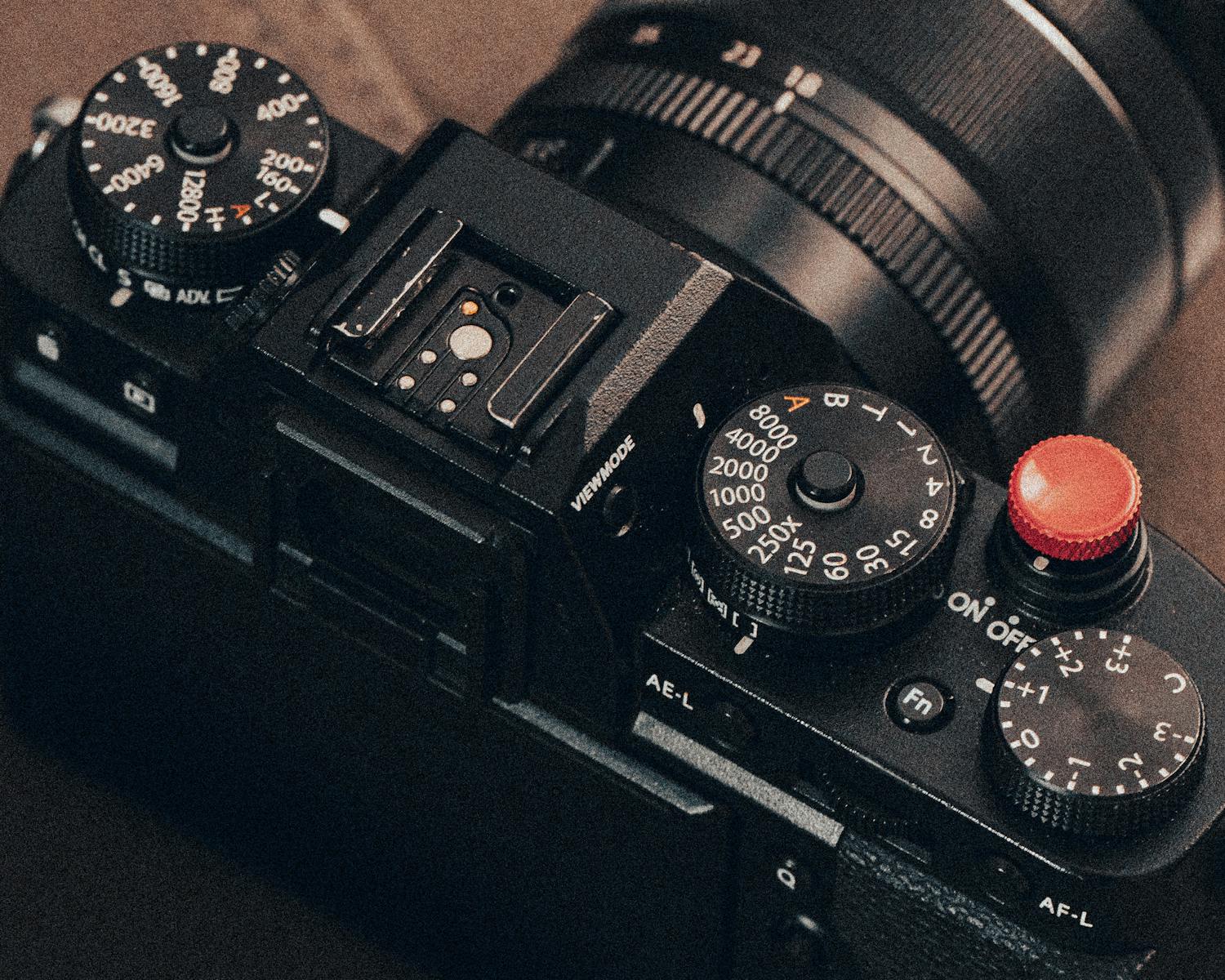
What Are the Best Camera Settings for Low Light Photography?
When shooting in low light, your goal is to capture as much light as possible without compromising image quality. The three pillars of exposure—ISO, shutter speed, and aperture—must be carefully balanced.
ISO:
ISO controls your camera sensor’s sensitivity to light. In low light, raising ISO is essential to brighten images. However, higher ISO settings introduce noise (grain) that reduces image quality. Modern cameras have improved high ISO performance, but each camera has an optimal ISO range where noise is minimized. For example, many APS-C sensors handle ISO 800–3200 well, while full-frame sensors can often go up to ISO 6400 or higher with manageable noise. Start with the lowest ISO you can while maintaining proper exposure and increase only as needed.
Aperture:
A wide aperture (such as f/1.8, f/2.8) lets in more light, helping keep ISO lower and shutter speed faster. This also creates a shallow depth of field, which can be creatively used for portraits or isolating subjects. However, shooting wide open can reduce sharpness on some lenses and requires careful focusing, especially in low light.
Shutter Speed:
Slower shutter speeds allow more light to hit the sensor but risk motion blur from camera shake or subject movement. As a general guideline, use a shutter speed no slower than the reciprocal of your focal length (for example, 1/50 sec for a 50mm lens) when handheld. For night scenes or static subjects, use a tripod and experiment with longer exposures.
Practical Example:
Imagine shooting a street scene at dusk with a 50mm lens. You might set ISO to 1600, aperture to f/2.8, and shutter speed to 1/60 sec to freeze motion while capturing enough light. If the image is too dark, increase ISO or slow the shutter speed while stabilizing your camera.
Understanding how to balance these settings is the foundation of low light photography success.
How to Choose the Right ISO for Low Light Photography Settings
ISO is often the most misunderstood and misused setting in low light photography. While increasing ISO brightens the image, it also amplifies sensor noise, which can degrade image quality and limit print sizes or client deliverables.
Key Tips for ISO Low Light Use:
– Know your camera’s ISO performance: Test your camera in various ISO settings under low light. Some cameras handle ISO 3200 cleanly, while others show heavy noise above ISO 800. Use test shots to find the highest ISO you can use confidently.
– Use the lowest ISO possible: Start at ISO 100 or 200. If your shutter speed or aperture can’t capture enough light, increase ISO incrementally. Avoid maxing out ISO unless necessary.
– Use noise reduction techniques: In-camera noise reduction settings or post-processing software like Adobe Lightroom’s noise reduction sliders can clean up high ISO images. Balance noise reduction with detail preservation.
– Consider shooting RAW: RAW files retain more image data and handle noise reduction better than JPEGs. RAW also provides more flexibility in adjusting exposure after the shot.
Mini case study:
A wedding photographer shooting a dimly lit reception hall sets ISO to 3200 on a full-frame camera, aperture to f/2.0, and shutter speed to 1/125 sec to freeze movement. Post-processing noise reduction is applied selectively, resulting in clean images suitable for printing and client delivery. Shooting in RAW allows fine-tuning exposure and noise without quality loss.
What Night Photography Settings Work Best?
Night photography typically involves very low ambient light and often requires long exposures or specialized techniques.
Recommended Night Photography Settings:
– Manual mode: Full control is essential to adjust ISO, shutter speed, and aperture precisely.
– ISO: Use a higher ISO if you want to reduce shutter speed or if there is some ambient light (city lights, moonlight). For star photography, ISO 1600–3200 is common.
– Aperture: Use the widest aperture your lens allows (f/1.4 to f/2.8) to maximize light.
– Shutter speed: For cityscapes or light trails, shutter speeds from a few seconds to several minutes are common. For star photography, use the 500 Rule to avoid star trails: divide 500 by your focal length to get max exposure time in seconds (e.g., 500 / 24mm ≈ 20 seconds).
– Focus: Autofocus struggles in the dark. Switch to manual focus and use live view zoom to focus on a bright star or distant light.
– Use a tripod: Essential for stability during long exposures.
– Remote shutter release or timer: Avoid camera shake by using a remote trigger or the camera’s timer function.
Example:
To capture a city skyline at night, set your camera to ISO 800, aperture f/4 (for sharpness), shutter speed 15 seconds on a tripod. Use manual focus on a distant building light, and use a remote shutter release. This will produce a sharp, well-exposed image with minimal noise and smooth light trails.
How Do Aperture and Shutter Speed Affect Low Light Photos?
Understanding how aperture and shutter speed affect your images in low light is critical to achieving sharp, well-exposed photos.
Aperture:
– Controls how much light enters through the lens.
– A wider aperture (small f-number) allows more light but reduces depth of field, which can be artistic or challenging depending on the subject.
– Smaller apertures (higher f-numbers) increase depth of field but reduce light, often requiring slower shutter speeds or higher ISO.
Shutter Speed:
– Controls how long the sensor is exposed to light.
– Faster shutter speeds freeze motion but require more light.
– Slower shutter speeds let in more light but can cause motion blur if handheld or if the subject moves.
Practical advice:
– For portraits in low light, use wide apertures (f/1.8 – f/2.8) to keep the subject sharp and background blurred.
– For static scenes or architecture, use smaller apertures (f/5.6 – f/11) for sharpness and focus throughout, paired with a tripod and slower shutter speeds.
– For moving subjects, prioritize faster shutter speeds (1/125 sec or faster) and compensate with higher ISO and wider aperture.
What Role Does White Balance Play in Low Light Photography Settings?
White balance (WB) controls color temperature and tone in your photos, which can be especially tricky in low light where artificial lighting dominates.
Common challenges:
– Streetlights, indoor lighting, and neon signs cast varying color hues that can make images look unnatural.
– Auto white balance can struggle or shift colors unexpectedly in mixed lighting.
Tips for managing white balance:
– Use manual white balance or presets (Tungsten, Fluorescent) to control color casts.
– Shoot in RAW to adjust white balance precisely during post-processing without quality loss.
– For creative effects, intentionally shift white balance to warmer or cooler tones to set mood.
Example:
Shooting a concert under stage lights: setting manual white balance to Tungsten (around 3200K) neutralizes the orange glow from incandescent lights, producing more natural skin tones. Shooting RAW allows tweaking WB later if needed.
How to Stabilize Your Camera for Sharp Low Light Shots
Camera shake is a major cause of blurry images in low light photography due to longer exposure times.
Best stabilization practices:
– Use a sturdy tripod for exposures longer than 1/60 second.
– Utilize image stabilization (IS) or vibration reduction (VR) if your lens or camera body offers it. Note: Turn off IS when using a tripod to avoid counterproductive movement.
– Use a remote shutter release or the camera’s self-timer to prevent shake from pressing the shutter button.
– Brace your body and lens against stable surfaces when shooting handheld.
– Use burst mode to increase chances of getting sharp images.
Example:
A landscape photographer shooting a moonlit scene sets up a tripod, uses a 2-second timer, and disables IS on the lens. This setup ensures no camera shake during a 15-second exposure and results in razor-sharp images.
How Can Post-Processing Improve Low Light Photos?
Even with perfect settings, low light images often benefit from post-processing to enhance exposure, reduce noise, and sharpen details.
Essential post-processing steps:
– Noise reduction: Use Lightroom, Capture One, or specialized plugins to reduce ISO noise while preserving detail.
– Exposure and contrast adjustments: Brighten shadows and recover highlights to balance the image.
– Sharpening: Apply selective sharpening to enhance edges without amplifying noise.
– White balance correction: Fine-tune color temperature and tint for natural skin tones and accurate colors.
– Lens corrections: Fix distortion and chromatic aberration common in low light wide apertures.
Tip: Always shoot in RAW to maximize editing flexibility and image quality.
How to Use Manual Mode for Better Low Light Photography Settings
Manual mode gives you full control over ISO, aperture, and shutter speed, which is invaluable in low light situations where automatic modes may struggle.
Step-by-step manual mode workflow:
1. Set your desired aperture based on depth-of-field needs.
2. Choose a shutter speed that balances motion freeze and light capture (use reciprocal rule for handheld).
3. Adjust ISO to achieve proper exposure using the camera’s light meter or histogram.
4. Take a test shot and review it on your LCD or histogram.
5. Fine-tune settings to correct exposure or reduce noise.
6. Lock focus manually or use autofocus if reliable.
7. Shoot multiple frames to ensure sharpness.
Example:
Shooting a candlelit portrait: aperture f/2.0 for shallow depth, shutter speed 1/100 sec to freeze subtle movements, and ISO 1600 to brighten the image. The photographer manually tweaks ISO and shutter speed to optimize exposure while keeping noise low.
Common Mistakes
Low light photography can be frustrating if you fall into common traps. Here are mistakes to avoid:
1. Relying solely on Auto mode: Cameras often increase ISO aggressively or fail to focus correctly in low light, resulting in noisy or blurry images. Manual or semi-manual modes (Aperture Priority or Shutter Priority) provide better control.
2. Using too slow shutter speeds handheld: This causes motion blur. Always respect the reciprocal rule (1/focal length) or use stabilization gear.
3. Ignoring ISO noise consequences: Cranking ISO to maximum without testing your camera’s limits results in unusable grainy images. Test your gear in low light beforehand.
4. Shooting JPEG only: JPEG compresses and discards image data, limiting noise reduction and exposure recovery. Always shoot RAW in low light.
5. Not using a tripod when needed: Long exposures require a stable base. Handholding slow shutter speeds leads to soft images.
6. Poor focus technique: Autofocus struggles in low light. Switching to manual focus and live view zoom is often necessary.
7. Neglecting white balance: Incorrect WB causes unnatural colors, which are hard to fix perfectly later.
8. Overusing noise reduction: Excessive noise reduction removes fine details and creates a plastic look. Balance noise reduction carefully.
9. Forgetting to check histogram: Reliance on LCD brightness can mislead; the histogram shows true exposure and clipping.
10. Not practicing: Low light photography requires experience and experimentation. Avoid frustration by practicing regularly in different conditions.
What to Do Now
If you’re ready to improve your low light photography skills, here’s a practical action plan:
1. Get to know your camera’s ISO performance: Take test shots indoors or at dusk. Experiment with ISO settings ranging from 100 to your camera’s max, noting noise levels and image quality.
2. Practice manual mode: Shoot in low light using manual settings. Adjust aperture, shutter speed, and ISO while reviewing results. This builds confidence controlling exposure.
3. Invest in stabilization tools: A sturdy tripod and remote shutter release are invaluable. Even an affordable tripod improves sharpness dramatically.
4. Learn focusing techniques: Practice manual focus with live view zoom in dim environments to improve accuracy.
5. Experiment with wide apertures: If your lens allows, shoot wide open and notice depth-of-field effects and sharpness trade-offs.
6. Study night photography workflows: Try shooting cityscapes or star trails using the 500 Rule and long exposures.
7. Shoot RAW and learn post-processing: Use Lightroom or similar software to adjust exposure, white balance, and reduce noise. Online tutorials can help you master these tools.
8. Review your photos critically: Identify issues like blur, noise, or color cast and adjust your settings accordingly.
9. Join photography communities: Engage with forums or local photo groups to share low light images and get feedback.
10. Check out ProPhotographyClass resources: Our Photography Basics and Editing Workflows pages offer targeted lessons that deepen your understanding.
By following this structured plan, you’ll steadily improve your low-light photography, producing images that impress clients and expand your creative portfolio.
FAQs
1. What is the ideal ISO setting for low light photography?
There’s no one-size-fits-all ISO setting because it depends on your camera’s sensor and the lighting conditions. Generally, start with the lowest ISO (100 or 200) and increase as needed to maintain a shutter speed that prevents blur. Modern full-frame cameras perform well at ISO 3200 or higher with manageable noise, while crop-sensor cameras might start showing noise above ISO 1600. Testing your camera’s ISO range in advance is essential to find your “sweet spot” for low light shooting.
2. How can I prevent blurry photos in low light?
Blurry photos often result from camera shake or subject motion. To avoid this, use a tripod when possible to stabilize the camera for slow shutter speeds. If shooting handheld, follow the reciprocal rule: your shutter speed should be at least 1 over the focal length (e.g., 1/50 sec for 50mm lens). Use image stabilization if available, and consider increasing ISO or aperture to allow faster shutter speeds. Also, use a remote shutter release or timer to minimize shake from pressing the shutter button.
3. Should I shoot in RAW or JPEG for low light photography?
RAW format is highly recommended for low light photography because it preserves all image data, allowing greater flexibility in adjusting exposure, white balance, and noise reduction during post-processing. JPEG compresses data and applies in-camera processing that limits your ability to recover details or reduce noise effectively. Shooting RAW ensures higher quality and better results, especially when working with high ISO images typical in low light conditions.
4. How do I focus accurately in low light?
Autofocus systems struggle in dim environments due to insufficient contrast. To improve focus accuracy, switch to manual focus and use your camera’s live view mode to zoom in on a bright or high-contrast area (such as a street lamp or distant light). Adjust focus until the image looks sharp on the LCD. Practice this technique before your shoot to gain confidence. Additionally, some lenses have focus assist lights or you can use a flashlight temporarily to help autofocus.
5. What lenses are best for low light photography?
Lenses with wide maximum apertures (f/1.2 to f/2.8) are ideal for low light photography because they allow more light to reach the sensor, enabling faster shutter speeds and lower ISO settings. Prime lenses such as a 50mm f/1.8 or 35mm f/1.4 are popular choices due to their sharpness and wide apertures at affordable prices. Zoom lenses with constant wide apertures, like a 24-70mm f/2.8, offer versatility. Avoid kit lenses with narrow apertures (f/3.5-5.6) for serious low light work.
Conclusion
Mastering low light photography settings is a transformative skill that opens up new creative and business opportunities for photographers. Understanding how to balance ISO, aperture, and shutter speed allows you to capture clear, compelling images in challenging lighting conditions—whether it’s intimate indoor portraits, vibrant night cityscapes, or dramatic star-filled skies.
The key is to approach low light photography with intentionality: test your camera’s limits, practice manual mode, and use stabilization tools to prevent blur. Embrace shooting in RAW to maximize post-processing potential and develop a workflow that includes careful noise reduction and white balance correction. By learning how to adjust night photography settings and manage ISO low light performance, you’ll gain confidence to shoot in any dim environment.
For photographers building their business, delivering consistently sharp and well-exposed low light images enhances client satisfaction and diversifies your portfolio. High-quality night photography can command premium pricing and attract specialized assignments in events, weddings, real estate, and urban photography.
At ProPhotographyClass, we encourage you to experiment regularly, study your gear, and apply the practical advice shared here. Follow the step-by-step frameworks for exposure control and stabilization to elevate your low light photos from frustrating to fantastic. With patience and practice, you’ll unlock the full potential of your camera and create stunning images that capture the magic of the night.
Explore more about camera gear, editing workflows, and client management on our [Photography Basics](https://prophotographyclass.com/photography-basics) and [Editing Workflows](https://prophotographyclass.com/editing-workflows) pages to continue growing your skills and photography business. Happy shooting under the stars!

