
What Is ISO in Photography Explained Simply
Introduction
ISO in photography is one of the fundamental concepts every photographer needs to understand, whether they’re just starting out or looking to improve their craft and business. Despite its importance, ISO often feels intimidating or confusing, especially for beginners. However, mastering ISO camera settings is critical for controlling exposure, image quality, and adapting to different shooting environments.
At its core, ISO in photography refers to the sensitivity of your camera’s sensor to light. Alongside shutter speed and aperture, ISO is a key component of the exposure triangle — the three pillars that determine how bright or dark your photos appear. But ISO does more than just brighten or darken an image; it directly influences noise levels, sharpness, and ultimately the professional quality of your photos.
For photographers building a business or aiming to deliver consistent results, understanding ISO is not just a technical exercise — it’s a practical skill that affects client satisfaction, post-processing time, and gear choices. For instance, shooting events in low light requires balancing ISO to avoid grainy images without compromising shutter speed. Product photographers might use low ISO for maximum detail, while wedding photographers need to adapt quickly to changing light.
This guide breaks down ISO in photography simply and clearly, focusing on real-world scenarios and actionable advice. Whether you’re a beginner learning the ropes or an aspiring professional refining your workflow, this article will equip you with the knowledge to confidently adjust ISO settings and elevate your photographic output.
Key Takeaways
– ISO in photography measures your camera sensor’s sensitivity to light, affecting exposure and image quality.
– Adjusting ISO is crucial for controlling brightness when shutter speed and aperture are fixed or limited.
– Higher ISO values increase sensitivity but also introduce noise (grain), impacting photo clarity.
– Understanding photography exposure ISO helps photographers make informed choices that suit lighting conditions and shooting goals.
– Balancing ISO with shutter speed and aperture is essential for sharp, well-exposed images.
– Practical ISO knowledge improves shooting efficiency, reduces post-processing time, and enhances client deliverables.
– Different genres and scenarios require tailored ISO settings; knowing when and how to adjust ISO is a key professional skill.
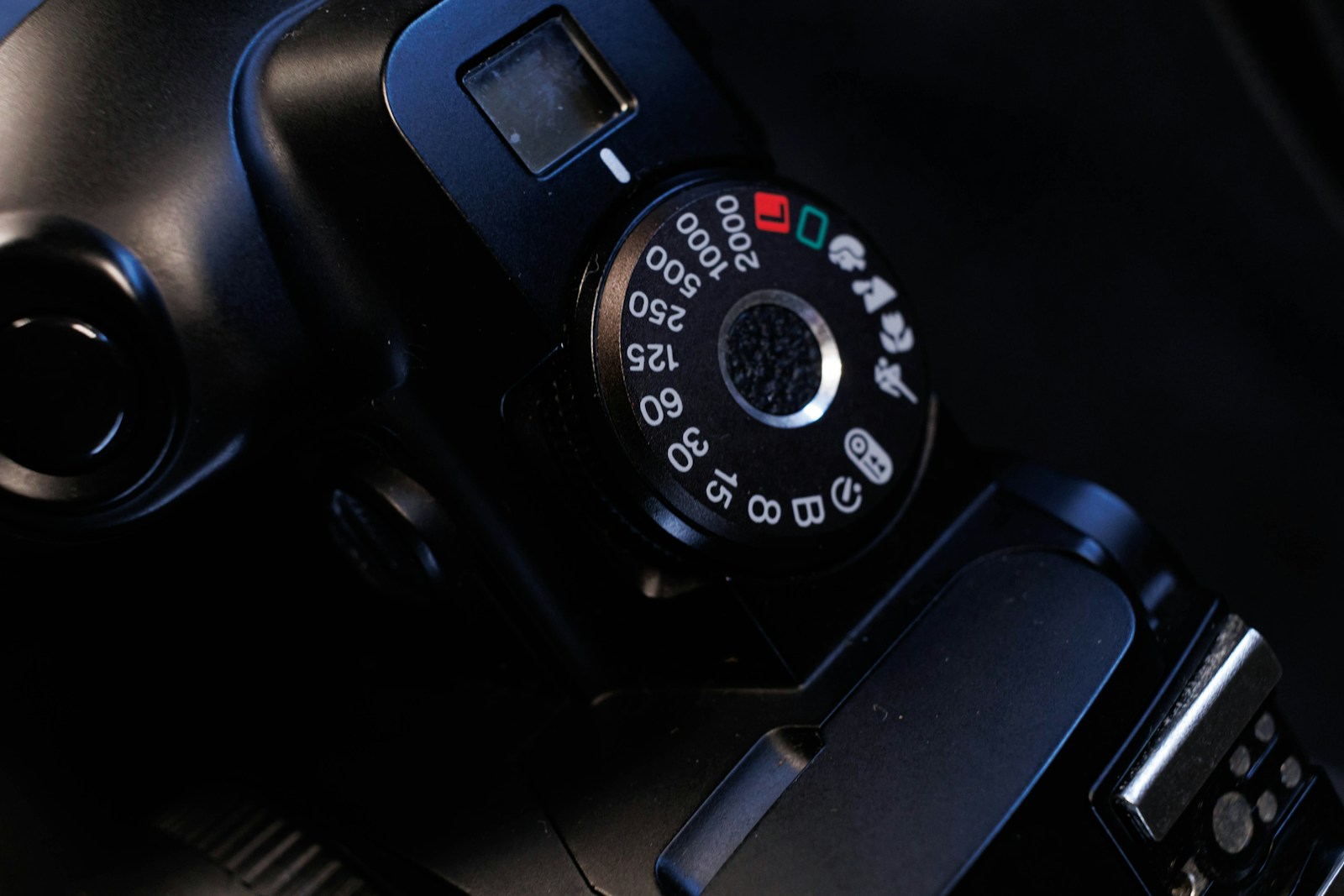
What Is ISO in Photography and Why Does It Matter?
ISO in photography is a standardized scale that represents the sensitivity of your camera’s sensor to light. Historically, ISO originated from film photography, where different film rolls had varying sensitivities. Modern digital cameras simulate this by adjusting the sensor’s amplification level to respond to light.
A lower ISO number (e.g., 100 or 200) means the sensor is less sensitive to light, producing cleaner, sharper images with minimal noise. Higher ISO settings (e.g., 1600, 3200, or beyond) increase sensitivity, allowing you to shoot in darker environments but at the cost of increased digital noise.
Why does this matter? Because ISO directly impacts your ability to capture well-exposed photos in various lighting conditions. For example, shooting indoors or at night often requires a higher ISO to compensate for limited light, while bright daylight allows you to use low ISO for optimal image quality.
In practical terms, knowing how to adjust ISO camera settings empowers photographers to:
– Control exposure without sacrificing shutter speed or aperture preferences.
– Maintain image clarity and reduce noise.
– Adapt quickly to changing light situations, critical for event or documentary photographers.
– Manage workflow efficiently by minimizing extensive noise reduction in post-processing.
Understanding ISO also helps photographers communicate effectively with clients about image quality expectations, especially when shooting in challenging lighting.
How Does ISO Affect Exposure and Image Quality?
ISO, shutter speed, and aperture collectively determine the exposure of a photograph — essentially how light or dark the image appears. While shutter speed controls how long light hits the sensor and aperture controls how much light enters, ISO adjusts how sensitive the sensor is to that light.
Increasing ISO amplifies the sensor’s signal, making it more sensitive to light. This is extremely helpful when you need to shoot with a fast shutter speed to freeze motion or use a small aperture for greater depth of field in low light.
However, this amplification comes with a trade-off: higher ISO settings introduce noise, which appears as grain or colored speckles in your images. Excessive noise can reduce sharpness, affect color accuracy, and make photos look less professional.
For example, shooting a wedding reception indoors might require ISO 3200 or higher to capture moments without blur, but the photographer must balance this with the noise introduced. Using fast lenses and proper lighting helps keep ISO lower and images cleaner.
Understanding the interplay between ISO and exposure lets photographers make better decisions:
– Use the lowest ISO possible for the lighting conditions.
– Increase ISO only when shutter speed or aperture adjustments are insufficient.
– Recognize when noise levels become unacceptable and compensate with external light or gear.
Step-by-Step Guide to Adjusting ISO Camera Settings
Adjusting ISO camera settings might seem straightforward—just turn a dial—but doing it effectively requires understanding your shooting scenario and camera capabilities. Here’s a simple framework to help you set ISO deliberately:
1. Assess the Lighting Condition: Is the scene bright or dim? Outdoors in daylight or indoors at night? This guides the baseline ISO.
2. Determine Your Aperture and Shutter Speed Needs: Are you shooting fast-moving subjects that require a high shutter speed? Do you want a wide aperture for bokeh, or a narrow aperture for sharpness throughout?
3. Set ISO to the Lowest Possible Value: Start with ISO 100 or 200 for best image quality.
4. Adjust ISO Upward as Needed: Increase ISO incrementally (e.g., 400, 800, 1600) to achieve correct exposure while maintaining desired shutter speed and aperture.
5. Check Exposure and Noise: Review your image or histogram. If the exposure is correct and noise acceptable, proceed.
6. Use Exposure Compensation if Available: Sometimes, slight tweaks can balance exposure without major ISO changes.
7. Consider External Lighting or Gear: If ISO is too high and noise unacceptable, add light sources or use faster lenses.
For example, if you’re photographing a child playing indoors, you might want a shutter speed of 1/250s to freeze motion. With an aperture of f/4, you may find your exposure underexposed at ISO 100. Incrementally raise ISO to 800 or 1600 until the exposure looks right without too much noise.
Practical Scenarios: ISO Settings for Different Photography Genres
ISO requirements vary widely depending on the genre and shooting conditions. Here’s how to approach ISO in some common photography types:
– Landscape Photography: Usually shot in bright daylight or with tripod support. Use low ISO (100-200) to maximize sharpness and minimize noise. Long exposures allow for slow shutter speeds without raising ISO.
– Portrait Photography: Indoors or outdoors, ISO depends on lighting. Outdoors on sunny days, low ISO is ideal. Indoors or during golden hour, moderate ISO (400-800) may be necessary to maintain shutter speed and aperture choices.
– Event Photography: Fast-moving subjects and variable lighting require flexible ISO use. Start with ISO 800-1600 indoors, adjusting as light changes. Prioritize shutter speed to freeze action, accepting higher ISO noise if needed.
– Street Photography: Often spontaneous with changing light. Use auto ISO with a cap to balance exposure and noise. Start with ISO 400 and adjust upward in dimmer conditions.
– Product Photography: Controlled lighting allows for low ISO settings (100-200) to capture maximum detail and color accuracy.
Practical example: A wedding photographer shooting a dimly lit reception hall might set ISO to 3200 or 6400 to maintain shutter speeds around 1/100s and apertures around f/2.8. While noise increases, it’s preferable to blurry images. A fast prime lens can help reduce ISO needs.
Understanding Photography Exposure ISO for Business Success
For photographers running a business, understanding ISO isn’t just about taking better pictures; it’s about delivering consistent quality, managing time, and satisfying clients.
– Consistency: Clients expect sharp, clean images. Using ISO wisely ensures minimal noise, reducing the need for heavy editing that slows delivery.
– Efficiency: Shooting with appropriate ISO settings reduces retakes and extensive noise reduction in post-production, helping meet tight deadlines.
– Equipment Investment: Knowing your camera’s ISO performance guides gear purchases. Investing in cameras with better high-ISO capabilities or fast lenses can improve results and client satisfaction.
– Pricing Strategy: Offering services in challenging lighting might justify higher rates due to increased skill and equipment needs.
– Client Communication: Explaining ISO and exposure decisions helps manage client expectations, especially for difficult shoots like indoor events or night photography.
For example, a photographer might advise a client that certain indoor shots may have some grain due to necessary high ISO usage, setting realistic expectations upfront. This transparency builds trust.
Tips for Minimizing Noise When Using High ISO Settings
Sometimes high ISO is unavoidable. Here are practical tips to minimize noise and maintain image quality:
– Use the Lowest Possible ISO: Even small reductions in ISO can lower noise significantly.
– Shoot in RAW Format: RAW files retain more detail and allow better noise reduction during editing than JPEGs.
– Proper Exposure: Underexposing and brightening in post increases noise. Aim for correct exposure in-camera.
– Use Noise Reduction Software: Tools like Lightroom or specialized software can reduce noise effectively without losing detail.
– Upgrade Your Gear: Cameras with larger sensors and better ISO performance produce cleaner images at higher ISO values.
– Use Fast Lenses: Wider apertures reduce the need for high ISO by allowing more light.
– Apply Good Lighting: Whenever possible, add external light sources to reduce reliance on high ISO.
For example, photographing a concert in low light often requires ISO 6400 or more. Shooting RAW and applying noise reduction in post-processing can produce usable images, but proper exposure and lens choice are key to minimizing noise upfront.
How to Use Auto ISO Settings Effectively
Many modern cameras feature Auto ISO, which automatically adjusts ISO based on lighting conditions and user-defined parameters. This can be a powerful tool for shooting dynamic scenes where lighting changes rapidly.
To use Auto ISO effectively:
– Set Maximum ISO Limit: Define the highest ISO you’re willing to accept based on your camera’s noise tolerance.
– Set Minimum Shutter Speed: To avoid motion blur, set this according to your subject. For example, 1/250s for moving people.
– Combine with Manual Aperture and Shutter Speed: Let the camera adjust ISO to maintain exposure while you control depth of field and motion freeze.
– Review Images Frequently: Auto ISO can sometimes jump to very high values; monitor results and adjust settings.
– Use in Situations Like Events or Street Photography: Auto ISO helps maintain exposure without constant manual adjustments.
Example: A wildlife photographer tracking birds in variable forest light might set aperture and shutter speed manually, with Auto ISO capped at 3200. This ensures sharp photos without excessive noise.
How Does ISO Impact Post-Processing Workflow?
ISO settings affect not only the image capture but also your editing workflow. Higher ISO images often require more noise reduction and sharpening adjustments, which can be time-consuming and may degrade image quality if overdone.
To manage your workflow efficiently:
– Shoot at Optimal ISO: Minimizing noise reduces editing time.
– Use RAW Files: They offer greater latitude for adjustments without artifacts.
– Apply Noise Reduction Judiciously: Excessive noise reduction can soften details; balance is key.
– Calibrate Your Monitor: To accurately judge noise and sharpness during editing.
– Batch Process Similar Images: Using consistent ISO settings helps streamline edits.
For example, a wedding photographer delivering hundreds of images will save hours by shooting at ISO 800 instead of 3200 when possible, reducing the need for heavy noise reduction on every photo.
Common Mistakes
Many photographers, especially beginners, struggle with ISO because of common misconceptions and errors. Understanding these pitfalls can save you frustration and improve your images instantly.
– Using High ISO as a Default: Some photographers ramp up ISO automatically without considering aperture or shutter speed adjustments. This leads to unnecessarily noisy images.
– Ignoring Noise Impact: Underestimating the effect of high ISO noise on image quality, resulting in grainy photos that look unprofessional.
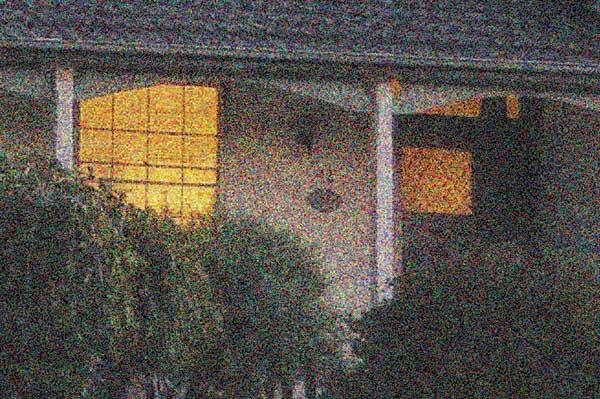
– Not Testing Camera ISO Performance: Different cameras handle high ISO differently. Failing to test your camera’s limits can lead to surprises during shoots.
– Overexposing or Underexposing: Relying on high ISO to fix exposure problems rather than adjusting shutter speed or aperture correctly.
– Shooting JPEG Only: JPEGs have less latitude for noise reduction compared to RAW files, making post-processing difficult.
– Not Using Auto ISO Wisely: Leaving Auto ISO on without setting limits can cause the camera to select extremely high ISO values, degrading image quality.
– Neglecting External Lighting: Over-reliance on ISO instead of adding appropriate lighting or faster lenses.
For example, an event photographer might shoot an entire evening at ISO 6400 just to keep shutter speed fast, only to find the images too noisy to meet client expectations. Proper planning and gear choices could have avoided this.
Another common mistake is underexposing images at high ISO because of fear of noise, only to brighten them later in post, which amplifies noise dramatically.
What to Do Now
If you’re ready to improve your understanding and use of ISO in photography, here’s a practical action plan you can follow immediately:
1. Experiment with ISO Settings: Take your camera out in different lighting conditions and shoot the same scene at various ISO values. Review images on a large screen to observe noise and exposure changes.
2. Practice the Exposure Triangle: Practice balancing ISO with shutter speed and aperture in manual mode to understand how all three interact.
3. Test Your Camera’s ISO Limits: Identify the highest ISO your camera can handle while producing acceptable noise levels. This will inform shooting decisions.
4. Shoot in RAW: Switch to RAW format to gain more flexibility in post-processing noise and exposure adjustments.
5. Use Auto ISO with Limits: Set maximum ISO and minimum shutter speed in your camera’s Auto ISO settings and use it during fast-paced shoots.
6. Invest in Fast Lenses: If possible, acquire lenses with wide apertures (e.g., f/1.8 or wider) to reduce reliance on high ISO.
7. Add or Use Available Light: Learn to use reflectors, flashes, or continuous lighting to maintain low ISO in dim environments.
8. Review and Edit Thoughtfully: Use noise reduction tools conservatively and learn to recognize noise versus detail.
9. Communicate with Clients: Explain the importance and limitations of ISO when shooting in difficult conditions to set realistic expectations.
10. Continue Learning: Watch tutorials, read books, or enroll in courses focused on exposure and camera settings.
By taking these steps, you’ll build confidence in your ISO choices, improve image quality, and streamline your photography business workflow.
FAQs
1. What is the best ISO setting for beginners?
For beginners, it’s best to start with the lowest ISO your camera offers, usually ISO 100 or 200, especially in bright conditions. This gives you the cleanest images with minimal noise. As you gain experience, experiment with higher ISO values in low-light situations, balancing shutter speed and aperture to maintain sharpness and exposure.
2. How does ISO differ from shutter speed and aperture?
ISO controls your camera sensor’s sensitivity to light, whereas shutter speed determines how long the sensor is exposed, and aperture controls the size of the lens opening. Together, they form the exposure triangle. Adjusting ISO changes brightness by amplifying the sensor’s signal, but can add noise, while shutter speed and aperture affect motion blur and depth of field.
3. Can I use very high ISO without affecting image quality?
Using very high ISO increases digital noise, which often reduces image quality by adding grain and reducing sharpness. While modern cameras have improved high-ISO performance, it’s best to keep ISO as low as possible for your shooting conditions. If high ISO is necessary, shoot in RAW and use noise reduction in post-processing.
4. When should I use Auto ISO?
Auto ISO is useful in situations with rapidly changing light or when you need to focus on shutter speed and aperture settings, such as event, street, or wildlife photography. Set reasonable maximum ISO limits and minimum shutter speeds to prevent excessive noise and motion blur. Always review your shots to ensure Auto ISO is working effectively.
5. How does ISO affect my photography business?
Understanding ISO helps you deliver better quality photos by balancing exposure and noise, which can improve client satisfaction. Proper ISO settings reduce editing time and improve workflow efficiency. It also informs gear investments and pricing strategies, especially for shoots in challenging lighting.
Conclusion
ISO in photography is a foundational concept that directly impacts your ability to capture well-exposed, sharp, and professional-quality images. By understanding how ISO camera settings influence sensitivity to light, noise, and image quality, photographers gain greater creative control and can adapt confidently to diverse shooting conditions.
This knowledge is particularly valuable for photographers building or growing a business. Correct ISO use ensures consistent results, reduces post-processing burdens, and supports clear client communication. Whether shooting portraits, events, landscapes, or products, mastering ISO is essential for delivering images that meet professional standards and client expectations.
Remember, ISO is not just a technical setting—it’s a practical tool. Start with the lowest ISO for the best image quality, increase it only when necessary, and balance it with aperture and shutter speed. Use Auto ISO wisely, invest in quality gear, and leverage lighting to minimize noise. With practice and intention, managing ISO becomes second nature, elevating your photography and business.
Take the time to experiment, learn your camera’s capabilities, and integrate ISO knowledge into your workflow. The results will be clearer images, happier clients, and a more efficient, confident photography practice.

